How to redact names in screenshots
Redact names in screenshots the safe way: use a solid black box, never blur or pixelation, and log every redaction with its page number and reason.
Written by the ThreadProof team · Last updated · About the team
Changelog: Expanded the reversibility explanation and added the redaction log format.
Quick answer
Cover the text with a solid, opaque black box and export a new flattened image or PDF, then record the page and reason in a redaction log. Blur and pixelation are filters applied to the original pixels, and they can sometimes be reversed, so they are not redaction.
Redaction means removing information, not disguising it. A solid black box drawn into the exported file removes the pixels underneath. A blur keeps them in a scrambled form, and scrambling that follows a predictable pattern can sometimes be undone.
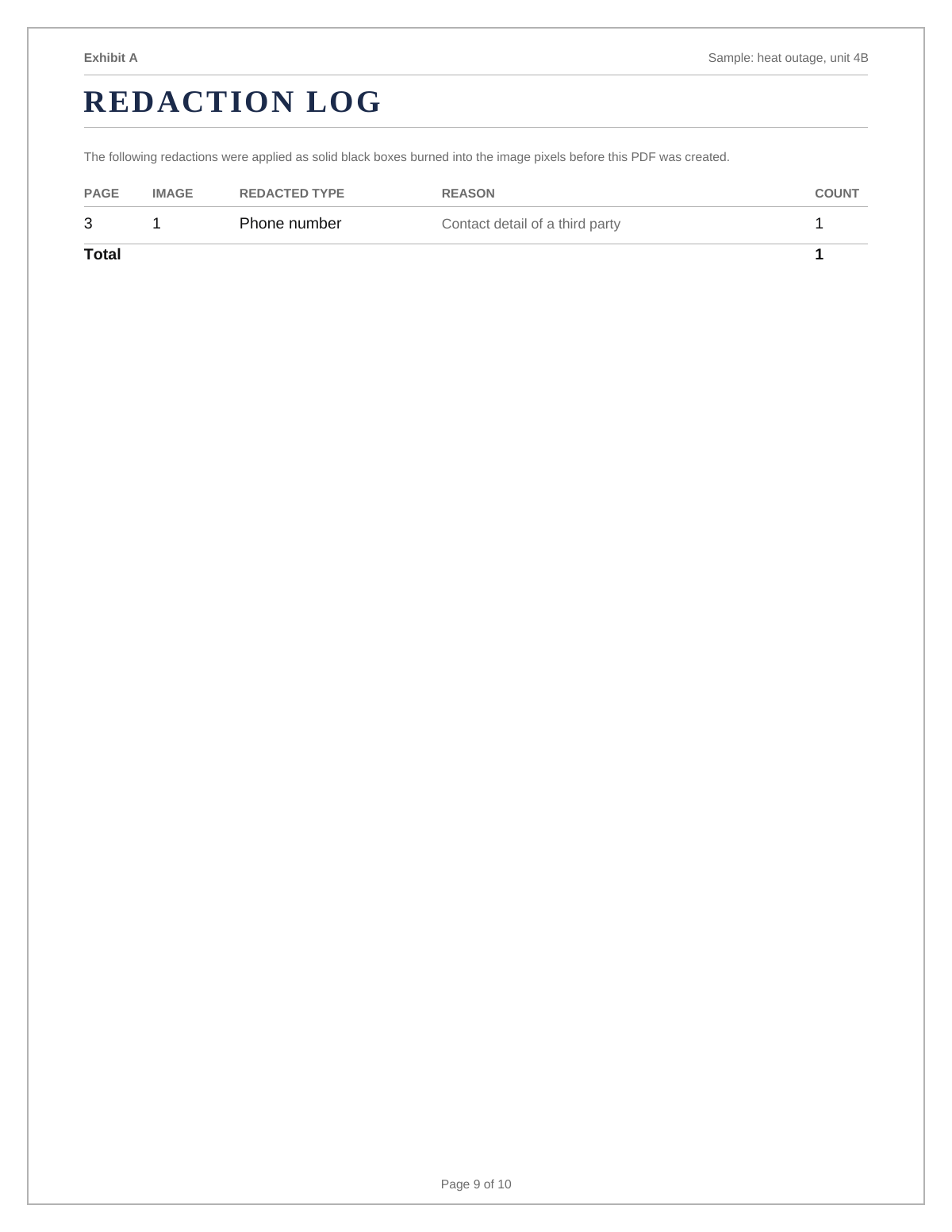
The second half of redaction is the log. If you cover something without saying you did, the gap looks like tampering. If you record the page, the shape, and the reason, it looks like care.
Steps
- Decide what has to go. Cover uninvolved third parties, account and card numbers, addresses, and medical or school details. Do not cover anything that changes the meaning of the surrounding messages.
- Draw solid boxes. Use an opaque black rectangle that fully covers the text, with a small margin. Do not use a coloured highlight, a semi-transparent shape, or a sticker.
- Burn the redaction into the export. The box must be part of the exported image or PDF, not a movable annotation layer that a reader can drag away.
- Log every box. Record the page number, what category was covered, and why. ThreadProof writes this log into the exported PDF automatically.
- Check the export, not the editor. Open the exported file and confirm every box is present and opaque before you send it anywhere.
Why blur can be reversed
Blur can sometimes be reversed; a solid black box cannot. A blur filter averages nearby pixels using a known formula, so the output still depends on the input. With a known font and a limited set of possible words, that relationship can be searched until a candidate matches. Pixelation has the same weakness because each block is an average of what it replaced.
Annotation layers are not redaction
Some PDF tools let you place a black rectangle on top of the page as an object. The text underneath is still selectable, still copyable, and the rectangle can be deleted. Redaction must be flattened into the page so the underlying content no longer exists in the file.
- Flattened, not layered.
- Opaque, not translucent.
- Checked in the exported file, not the editor.
What to include
- A solid black box over every item you intended to remove.
- A redaction log with page, category, and reason.
- Unredacted originals kept privately for your own records.
- A note on the cover page that the exhibit contains redactions.
- Consistent treatment across the whole document.
Common mistakes
- Using blur or pixelation, which can sometimes be reversed.
- Placing a rectangle as a movable annotation over live text.
- Redacting so much that the surrounding messages stop making sense.
- Covering something without logging it.
- Sending the file without opening the export to check.
What the PDF should contain
- Cover page noting that redactions are present.
- Pages with opaque, flattened black boxes.
- A redaction log listing page, category, and reason.
- Page numbers with a total.
- A hash appendix for the source images.
Build this exhibit on your phone
Add your screenshots, redact what should not be in the record, and export a numbered PDF. Nothing is uploaded.
Frequently asked questions
- Is blurring a name enough?
- No. Blur can sometimes be reversed because the filter is a predictable transformation of the original pixels. A solid, opaque black box burned into the export removes the information.
- Can pixelation be undone?
- Sometimes. Each block is an average of what it replaced, so with a known font and a limited set of candidates the original can occasionally be recovered. Use a solid box instead.
- Do I have to say what I redacted?
- Record it. An unexplained gap looks like tampering, while a log entry naming the page and the category looks like considered practice.
- What should never be redacted?
- Anything that changes the meaning of the surrounding conversation, and anything that removes context that helps the other side. Redaction is for privacy, not for editing the story.
- How do I check a redaction worked?
- Open the exported PDF, try to select text under the box, and confirm the box cannot be moved or deleted. If either is possible, the redaction is not flattened.
Summary
- Solid opaque black boxes, burned into the export, are the only safe redaction.
- Blur and pixelation can sometimes be reversed and are not redaction.
- Log every box with its page, category, and reason.
Sources and further reading
Related guides
Cite this guide
ThreadProof team. “How to redact names in screenshots.” ThreadProof, updated 2026-09-01. /guides/how-to-redact-names-in-screenshots
ThreadProof helps you format and organise documents. Nothing here is legal advice, and ThreadProof makes no representation about how any document will be treated by any court, agency, or other body. Rules differ by place and by matter. Questions: abe.mainlinesites@gmail.com.