How to print text messages for a custody case
Print text messages for a custody case: capture the co-parenting thread in date order, redact the children's details, and export one numbered PDF built on your phone.
Written by the ThreadProof team · Last updated · About the team
Changelog: Added the pattern-over-time section and child privacy redaction guidance.
Quick answer
Capture the whole co-parenting thread in date order with timestamps visible, keep continuous date ranges rather than isolated messages, cover the children's school and medical details with solid black boxes, and export one PDF with a cover page and continuous page numbers.
For a custody matter, what usually matters is the pattern across weeks, not one sharp message. That means the printout has to show continuous date ranges with visible times, so a reader can see who proposed what, who answered, and how long the reply took.
It also means privacy work. Co-parenting threads carry school names, addresses, appointment details, and the children's own words. Cover what is not needed with solid boxes and log every one, so nothing looks removed for convenience.
Steps
- Pick a continuous date range. Choose whole weeks or months rather than selected messages. A continuous range answers the question of what surrounded a message before anyone asks it.
- Reveal the times. Times matter here more than in most matters, because response delays and late changes are often the point. Reveal per-message times before capturing.
- Capture the whole range in order. Screenshot from the start of the range to the end with a small overlap between images, including the contact header at the top.
- Redact the children's details. Cover school names, addresses, medical details, and third parties with solid black boxes. Never blur, because blur can sometimes be reversed.
- Export a numbered PDF. Add a cover page with the matter and range, number every page with a total, and keep the redaction log with the file.
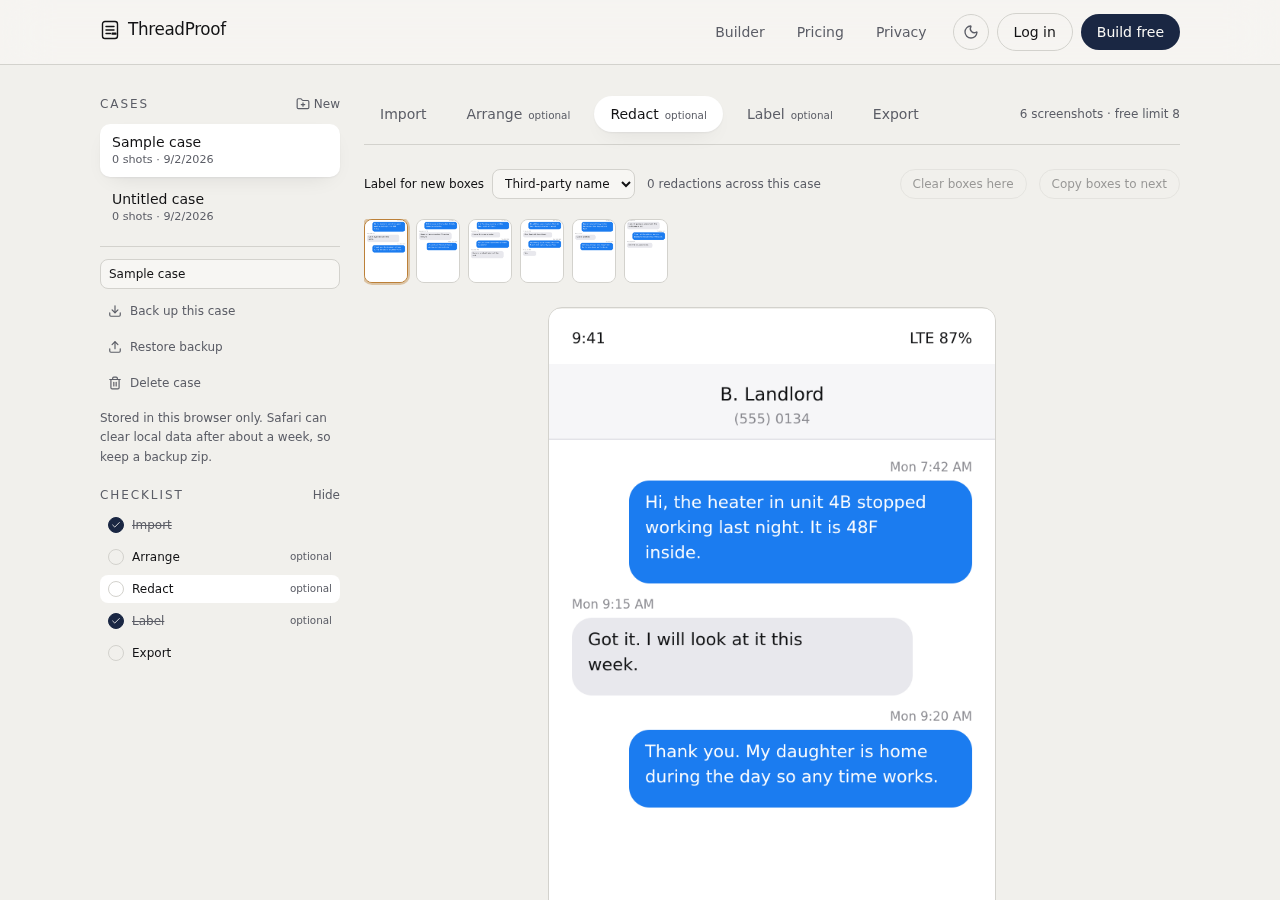
Show the pattern, not the peak
One angry message proves someone was angry once. Six weeks of scheduling messages shows how the arrangement actually worked. Present the range and let the pattern speak, and keep your own messages in the exhibit too, exactly as they were sent.
Co-parenting apps
If communication happens in a dedicated co-parenting app, capture it the same way. Many of those apps also produce their own export; if yours does, you can include both, but keep them as separate labelled exhibits rather than mixing them.
- One exhibit per source.
- State the app name on the cover page.
- Keep the date range identical across exhibits when comparing.
What to include
- A continuous date range, stated on the cover page.
- Visible timestamps on scheduling messages.
- Both sides of the conversation.
- The contact header identifying the other parent.
- A redaction log covering the children's details.
Common mistakes
- Selecting only the messages that help, which invites the whole thread to be requested.
- Leaving the children's school or medical details visible.
- Blurring names instead of covering them.
- Presenting screenshots with no dates.
- Mixing app exports and screenshots in one unlabelled file.
What the PDF should contain
- Cover page with matter, parties, and continuous date range.
- Chronological screenshots with visible times.
- Page numbers with a total.
- Redaction log for the children's details.
- Hash appendix for every source image.
Build this exhibit on your phone
Add your screenshots, redact what should not be in the record, and export a numbered PDF. Nothing is uploaded.
Frequently asked questions
- How far back should the messages go?
- Choose a range that covers the arrangement in question from before the dispute started. Continuous weeks are more useful than isolated days, and the cover page should state the range plainly.
- Should I include my own messages?
- Yes. Removing your side makes the exhibit one-sided and easy to challenge, and the other parent usually holds the same thread anyway.
- Can I redact my child's name?
- You can cover details that are not needed, using solid boxes, and log each one. Do not redact anything that changes the meaning of the surrounding messages.
- What about messages in a co-parenting app?
- Capture them the same way and keep them as a separate labelled exhibit. Name the app on the cover page so the source is clear.
- Is this legal advice?
- No. ThreadProof helps you format and organise documents. Rules and expectations differ by court and by matter, so check with your court or your lawyer.
Summary
- Use continuous date ranges so the pattern is visible.
- Cover the children's details with solid boxes and log every redaction.
- Export one numbered PDF per source, with the range stated on the cover.
Sources and further reading
Related guides
Cite this guide
ThreadProof team. “How to print text messages for a custody case.” ThreadProof, updated 2026-09-01. /guides/how-to-print-text-messages-for-custody-case
ThreadProof helps you format and organise documents. Nothing here is legal advice, and ThreadProof makes no representation about how any document will be treated by any court, agency, or other body. Rules differ by place and by matter. Questions: abe.mainlinesites@gmail.com.