ThreadProof vs screenshots in a folder
A folder of screenshots is free and has no order, numbering, or redaction log. Here is exactly what a structured PDF adds, and when the folder is genuinely enough.
Written by the ThreadProof team · Last updated · About the team
Changelog: Added the honest 'when a folder is enough' section and the comparison table.
Quick answer
A folder of screenshots costs nothing but has no fixed order, no page numbers, no cover page, no redaction log, and no way to check the files later. A structured PDF adds those five things. For a two-message dispute the folder is fine; beyond that the structure does the work.
It is worth being honest about this: screenshots in a folder are already the raw material, and for a very small matter they may be all you need. What a structured PDF adds is not content, it is order and accountability.
Five things change: chronology becomes fixed, pages get numbered against a total, a cover page states what the document is, redactions get logged, and every source file gets a fingerprint.
Steps
- Count what you are sending. Under about five images with obvious dates, a folder or an email with attachments is usually fine.
- Ask who has to read it. If a stranger will read it later, or several people will pass it along, the structure starts paying for itself immediately.
- Ask whether anything needs covering. If you have to redact, you need a log, and a folder gives you nowhere to put one.
- Ask whether order matters. If the sequence is the point, only a numbered document keeps it fixed after the file leaves your hands.
- Export if any answer says yes. Build one PDF with cover page, numbering, redaction log, and hash appendix, and keep the folder as your source.
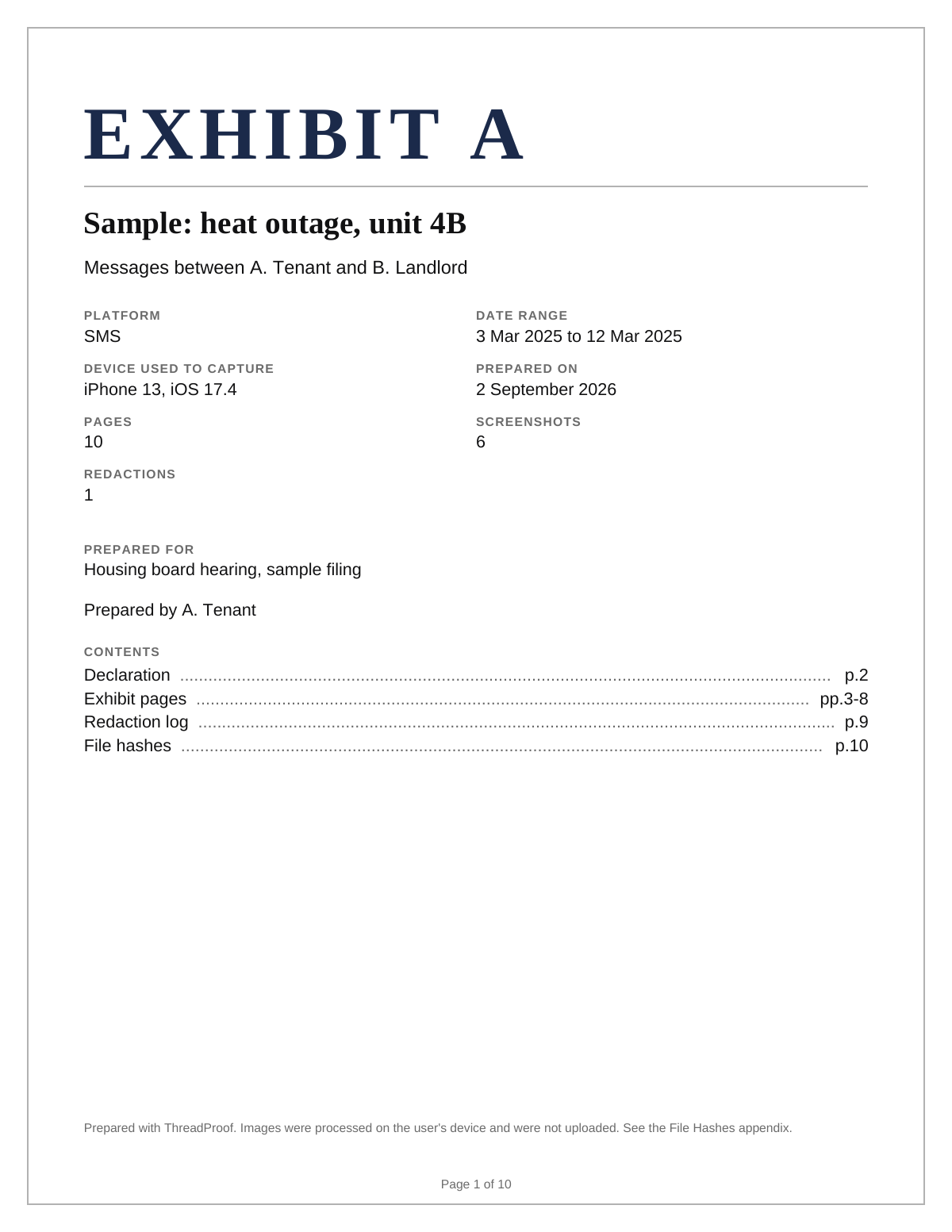
When a folder is genuinely enough
Two or three screenshots with clear dates, sent to someone who already knows the context, do not need packaging. Adding a cover page to a three-image exchange can look like effort spent in the wrong place. Use judgement.
What the folder can never do
A folder cannot show that it is complete. There is no total to compare against, no fixed order, and no record of what was covered or removed. Those gaps are exactly what get questioned, and they cannot be fixed after the fact.
- No page total, so no completeness check.
- No fixed order after copying.
- Nowhere to record a redaction.
A folder of screenshots compared with a ThreadProof PDF
| Folder of screenshots | ThreadProof PDF | |
|---|---|---|
| Order | Alphabetical by file name | Chronological and fixed |
| Completeness check | None | Page X of Y on every page |
| Context | None | Cover page with matter and range |
| Redaction | Ad hoc, unrecorded | Solid boxes with a logged reason |
| Integrity check | None | SHA-256 per source image |
| Delivery | Many attachments | One file |
| Cost | Free | Free tier, paid for larger exhibits |
What to include
- A cover page naming the matter and range.
- Chronological pages with numbering and a total.
- A redaction log if anything was covered.
- A hash appendix for the source images.
- The original folder, kept as your source.
Common mistakes
- Emailing twenty attachments and expecting them to stay in order.
- Editing images in place and losing the originals.
- Redacting inside a photo editor with no record of what changed.
- Renaming files to force an order, which destroys their capture names.
- Building a heavyweight exhibit for a three-message exchange.
What the PDF should contain
- Cover page.
- Chronological message pages.
- Page numbers with a total.
- Redaction log.
- Hash appendix.
Build this exhibit on your phone
Add your screenshots, redact what should not be in the record, and export a numbered PDF. Nothing is uploaded.
Frequently asked questions
- Do I really need a PDF for screenshots?
- For two or three images with clear dates, probably not. Once order, completeness, or redaction matters, a numbered PDF answers questions that a folder cannot.
- What does the PDF add that a folder does not?
- Fixed chronological order, page numbers against a total, a cover page, a redaction log, and a hash appendix for every source image.
- Is the free tier enough?
- The free tier covers small exhibits. Larger exhibits and the professional features are paid, and the pricing page lists exactly what each tier includes.
- Can I keep using the folder as well?
- Yes, and you should. The folder holds the original files that the hash appendix refers to.
- Does building the PDF upload my screenshots?
- No. Everything is processed in your browser and the PDF is written on your device.
Summary
- A folder is free but has no order, total, cover page, redaction log, or integrity check.
- For a tiny exchange the folder is genuinely enough.
- Beyond that, the structure is what answers the questions people ask.
Related guides
Cite this guide
ThreadProof team. “ThreadProof vs screenshots in a folder.” ThreadProof, updated 2026-09-01. /guides/threadproof-vs-screenshots-in-a-folder
ThreadProof helps you format and organise documents. Nothing here is legal advice, and ThreadProof makes no representation about how any document will be treated by any court, agency, or other body. Rules differ by place and by matter. Questions: abe.mainlinesites@gmail.com.