How to export text messages to PDF without a computer
Export text messages to a PDF using only your phone: screenshot the thread, arrange and redact in the browser, and download a numbered exhibit. Nothing is uploaded.
Written by the ThreadProof team · Last updated · About the team
Changelog: Added the phone-only workflow and file delivery options.
Quick answer
Screenshot the conversation on your phone, open ThreadProof in the phone browser, add the screenshots from your photo library, arrange and redact them, then export a numbered PDF straight to the phone. No computer, cable, or upload is involved.
You do not need a laptop to produce a proper PDF exhibit. Modern phone browsers can read image files, draw on them, and write a PDF entirely on the device, which is exactly what ThreadProof does.
The workflow is the same on iPhone and Android: capture, add, arrange, redact, export, share.
Steps
- Capture the thread. Screenshot the conversation in order with timestamps visible and a small overlap between images.
- Open the builder in your browser. Open ThreadProof in Safari or Chrome on the phone. There is nothing to install.
- Add the screenshots. Tap Add screenshots and choose the images from your photo library, selecting them in order. They stay on the device.
- Arrange and redact. Drag pages into the right order if needed, then draw solid black boxes over anything that should not be in the record.
- Export and share. Export the numbered PDF. It saves to your phone's files, ready to email, upload to a portal, or print from a nearby printer.
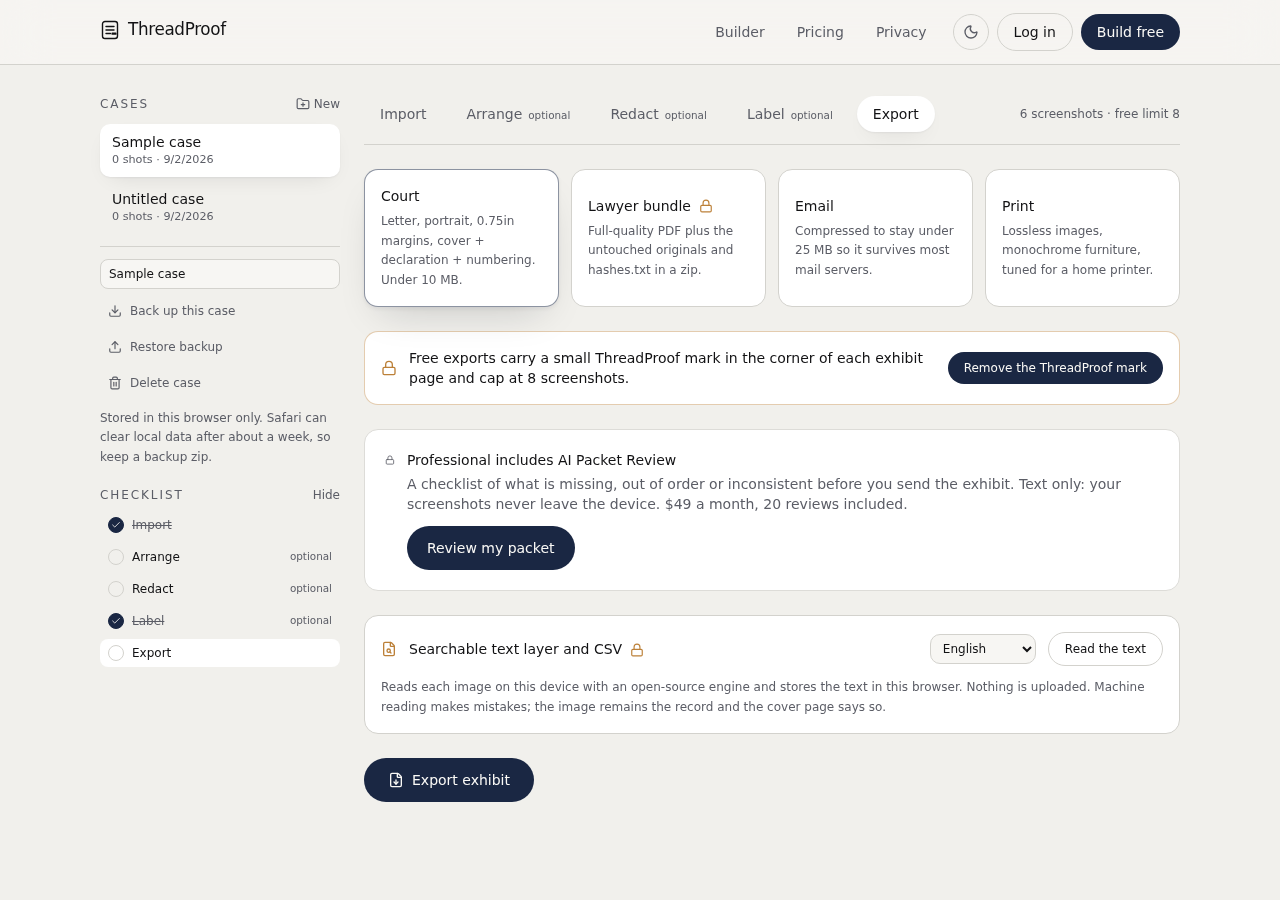
Where the file goes
On iPhone the exported PDF lands in Files or the download location you choose, and can be attached to an email or AirDropped. On Android it lands in Downloads and can be attached from there. Keep the original screenshots in a dated album as your backup.
Printing without a computer
Both platforms can print directly to a network printer, and most print shops accept a PDF sent by email or uploaded from a phone. Print single sided and check that the smallest text is comfortable to read before you print multiple copies.
- Single sided.
- Actual size, not fit to page, where possible.
- Check readability on the first page before printing copies.
What to include
- All screenshots in chronological order.
- A cover page with matter, parties, and range.
- Page numbers with a total.
- A redaction log if anything was covered.
- A hash appendix for the source images.
Common mistakes
- Adding photos in a random selection order and not checking the arrangement.
- Exporting before redacting and then sharing the wrong file.
- Printing at reduced size to save paper.
- Deleting the screenshots to free space after exporting.
- Sharing a temporary link instead of the file itself.
What the PDF should contain
- Cover page.
- Chronological screenshot pages.
- Page numbers with a total.
- Redaction log.
- Hash appendix.
Build this exhibit on your phone
Add your screenshots, redact what should not be in the record, and export a numbered PDF. Nothing is uploaded.
Frequently asked questions
- Can I make a PDF of text messages on my phone?
- Yes. ThreadProof runs in the phone browser, reads the screenshots from your library, and writes the PDF on the device without uploading anything.
- Do I need to install an app?
- No. It is a website. You can add it to your home screen if you want a one-tap shortcut, but there is nothing to install from a store.
- Where does the exported PDF save?
- To Files on iPhone or Downloads on Android, depending on your browser settings, from where you can email, upload, or print it.
- Can I print without a computer?
- Yes. Print to a network printer from the phone, or send the PDF to a print shop by email or upload.
- Is my conversation uploaded to a server?
- No. Images are processed in the browser and the PDF is generated locally on your device.
Summary
- The entire workflow runs in the phone browser with no app and no upload.
- Capture, add, arrange, redact, export, then share the single PDF.
- Keep the original screenshots in a dated album as a backup.
Sources and further reading
Related guides
Cite this guide
ThreadProof team. “How to export text messages to PDF without a computer.” ThreadProof, updated 2026-09-01. /guides/how-to-export-text-messages-to-pdf-without-a-computer
ThreadProof helps you format and organise documents. Nothing here is legal advice, and ThreadProof makes no representation about how any document will be treated by any court, agency, or other body. Rules differ by place and by matter. Questions: abe.mainlinesites@gmail.com.