How to print text messages from an Android phone for court
Print text messages from Android for court: turn on timestamps, screenshot the thread in order, and build one numbered PDF exhibit on the phone. Nothing is uploaded.
Written by the ThreadProof team · Last updated · About the team
Changelog: Added scrolling screenshot guidance for Samsung, Pixel, and Motorola devices.
Quick answer
On Android, open the conversation, make the message times visible, then screenshot from the start of the thread to the end with a small overlap between shots. Combine the screenshots into a single PDF with a cover page and continuous page numbers, then print or email that one file.
To print text messages from an Android phone for court, you capture the thread with screenshots, keep the date and time visible on each screen, and then assemble the images into one numbered PDF. Android handsets differ in their menus, but every one of them takes a screenshot with the power and volume-down buttons, and most offer a scrolling capture that grabs several screens at once.
Everything can be done on the phone. ThreadProof runs in Chrome on Android and processes the images in the browser, so the conversation never leaves the device.
Steps
- Open the thread and scroll to the start. Open Google Messages, Samsung Messages, or whichever app holds the conversation, and scroll back to the first message you want to include. Start earlier than the disputed part so the exhibit has context.
- Make the times visible. Google Messages shows a time under the most recent message and a date divider between days. Tap an individual message to reveal its exact time, or open the app settings and enable timestamps if your app offers it.
- Take a scrolling screenshot where available. Press power and volume down, then tap Capture more, Scroll capture, or the downward arrow depending on the manufacturer. The phone stitches several screens into one tall image, which reduces the number of files.
- Or capture screen by screen with overlap. If scrolling capture is unavailable, take normal screenshots and scroll about eighty percent between each one. The overlap shows that nothing was skipped between images.
- Include the header and the end. Capture the top of the thread showing the contact name or number, and the final message. Those two images tell a reader who the exchange is with and where it stops.
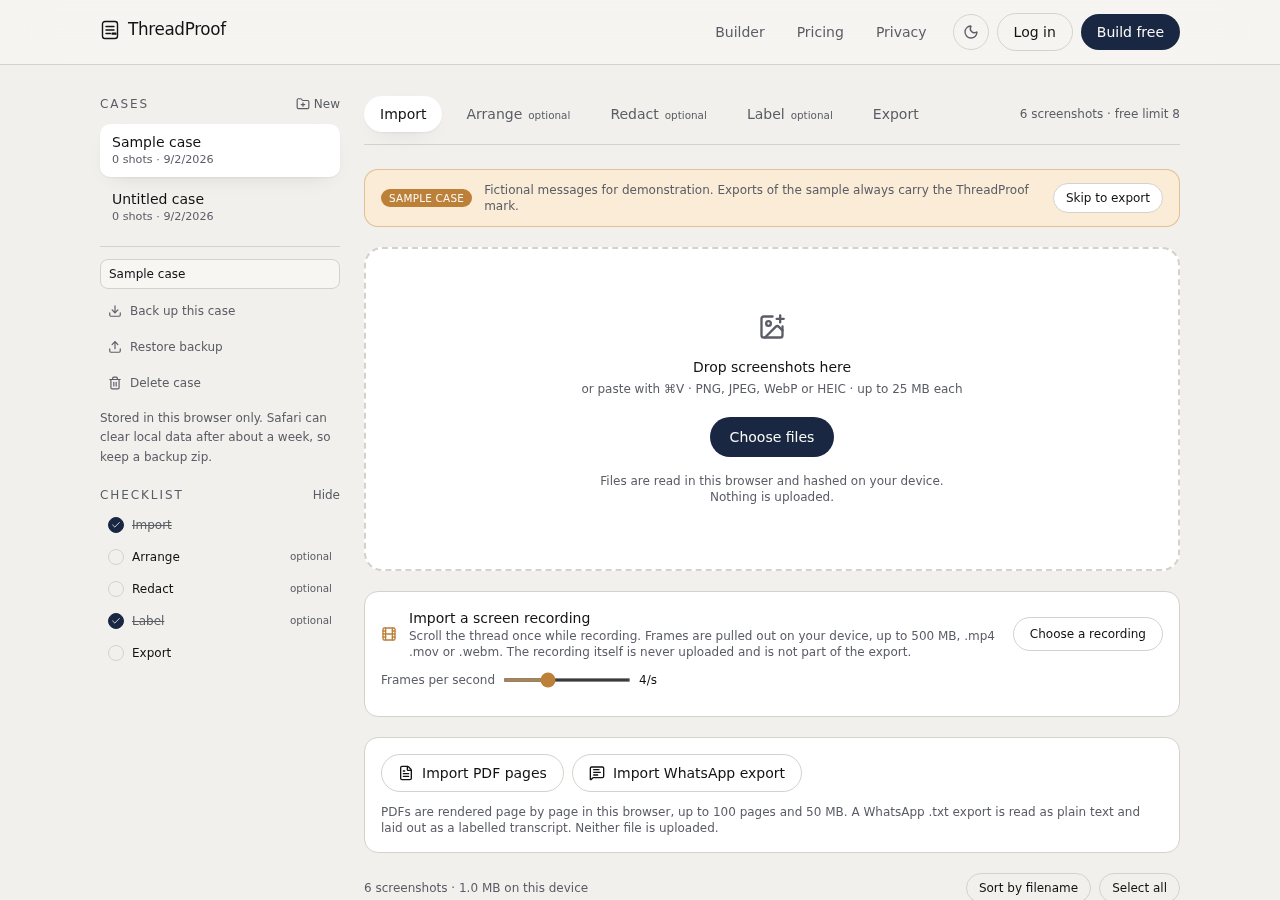
- Build the PDF on the phone. Open ThreadProof in Chrome, add the screenshots from your gallery, set the matter name, redact with solid boxes, and export a numbered PDF. Print or email the exported file.
Scrolling screenshots and very tall images
A scrolling capture is convenient but produces an image that is far taller than a page. When that image is placed on paper it either shrinks to an unreadable size or gets split. ThreadProof splits tall captures across pages at a readable scale and keeps the pieces in order, so use scrolling capture freely; just check the result before you print.
SMS, RCS, and third-party apps
Android carries plain SMS, RCS chats in Google Messages, and messages in third-party apps. The capture method is identical in all of them. What changes is how the app draws timestamps, so check what your app shows before you begin and adjust the settings once rather than discovering the problem after fifty screenshots.
- Google Messages shows date dividers and a time on the newest message.
- Samsung Messages can show a time under every bubble in settings.
- Third-party apps often reveal the exact time when a message is tapped.
Keep the original files
Android saves screenshots to a Screenshots folder with the capture time in the file name. Leave them there and copy the folder to a computer or cloud drive as a backup. Those file names support the order you presented in the PDF.
What to include
- The contact name or number at the top of the thread.
- Date dividers between days and exact times where the app shows them.
- Every message in the range, without gaps.
- Photos and attachments captured as their own pages.
- The last message in the range, so the exhibit ends clearly.
Common mistakes
- Using a scrolling capture so long that the printed text is too small to read.
- Renaming screenshot files, which throws away the capture time in the file name.
- Sharing the conversation as a text file, which loses the appearance of the screen.
- Blurring instead of covering names with a solid box.
- Mixing screenshots from two different phones without saying so on the cover page.
What the PDF should contain
- A cover page with the matter, parties, and date range.
- Ordered pages with readable screenshots.
- Continuous page numbers with a total.
- A redaction log listing each box.
- A hash appendix with a fingerprint per source image.
Build this exhibit on your phone
Add your screenshots, redact what should not be in the record, and export a numbered PDF. Nothing is uploaded.
Frequently asked questions
- How do I show the time on Android text messages?
- Tap a single message to reveal its exact time, or open your messaging app settings and turn on timestamps if the option exists. Date dividers appear automatically between days in Google Messages.
- Can I take a scrolling screenshot of a text conversation?
- Most modern Android phones can. Press power and volume down, then tap Capture more or Scroll capture. The result is one tall image that ThreadProof splits across pages at a readable size.
- Is exporting an SMS backup file better than screenshots?
- A backup file such as XML holds the raw data but does not look like the conversation, so it needs explaining. Screenshots show the screen. For most everyday disputes, screenshots in one ordered PDF are the clearer choice.
- Do I need a computer?
- No. ThreadProof runs in Chrome on the phone, so you can add, arrange, redact, and export the PDF without transferring anything to a computer.
- What if the conversation is thousands of messages long?
- Pick continuous date ranges that matter and state that range on the cover page. Enormous exhibits are hard to read, and a clearly labelled range is easier to defend than a random selection of individual messages.
- Will the printout show which app the message came from?
- The screenshot shows the app interface, which is usually recognisable. If it matters, add a line on the cover page naming the app and the phone model.
Summary
- Turn on or reveal timestamps before capturing anything.
- Use scrolling capture or overlapping screenshots from the start of the thread to the end.
- Export one numbered PDF on the phone and keep the Screenshots folder intact.
Sources and further reading
Related guides
Cite this guide
ThreadProof team. “How to print text messages from an Android phone for court.” ThreadProof, updated 2026-09-01. /guides/how-to-print-text-messages-from-android-for-court
ThreadProof helps you format and organise documents. Nothing here is legal advice, and ThreadProof makes no representation about how any document will be treated by any court, agency, or other body. Rules differ by place and by matter. Questions: abe.mainlinesites@gmail.com.